General Ledger accounts
The General Ledger File allows setting up a chart of accounts such that posting charges and payments, etc. generate an audit trail so that journal entry into a separate accounting system is made possible. Additionally, printing out the General Ledger Transactions allows checking the system with bank deposits (there are several other reports that also allow checking the system against bank deposits).
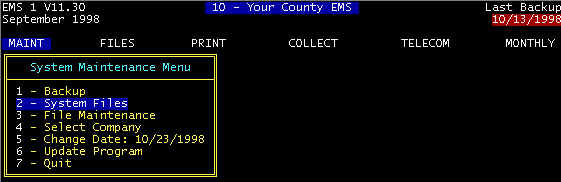
Screen 1 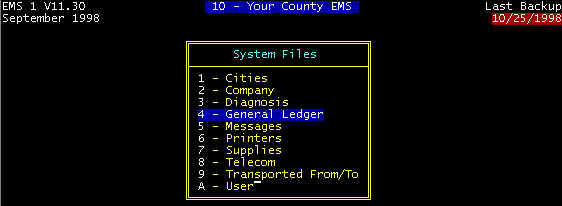 Screen 2 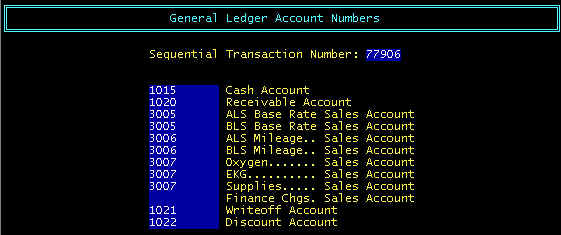 Screen 3 |
The general ledger program modules of the EMS billing system (general ledger file, account number assignment table, print outs, etc.) are intended to allow journal entry into a separate general ledger system from the EMS billing system general ledger transaction printed reports.
The system maintains categories of charge and payment transactions as listed (Cash Account, Receivable Account, etc.), and these cannot be either user-defined or descriptions modified by users. Users can, however, assign general ledger account numbers (1015, 1020, etc.) corresponding to each description as required for the particular general ledger system used. Data accumulation is in a general ledger data base file that is hidden to the user, but appropriately maintained by the system.
The system maintains categories of charge and payment transactions as listed (Cash Account, Receivable Account, etc.), and these cannot be either user-defined or descriptions modified by users. Users can, however, assign general ledger account numbers (1015, 1020, etc.) corresponding to each description as required for the particular general ledger system used. Data accumulation is in a general ledger data base file that is hidden to the user, but appropriately maintained by the system.
Sequential Transaction Number
A transaction is defined as every time a record in either the CHARGE or PAYMENT file is
added, deleted, or edited (changed); this includes every charge and every payment that is
posted. Every time a transaction is completed, the computer automatically increments the
sequential transaction number by one, and assigns this new number to that transaction. The
Sequential Transaction Number (as displayed in the General Ledger Screen above) is the
number of the last transaction entered. Sequential Transaction Numbers are maintained and
printed on the transaction printouts so that transactions cannot go undetected, assuming
that these printed reports are saved in some type file, and further, that the numbers are
sequential from one report to the next.