Manual / Memos
Memos
Back to Table
of Contents
Memos
Memos can be added to some databases: invoices, patients, etc. The
procedures and formats are the same. Invoice memos are used a lot, and described
below.
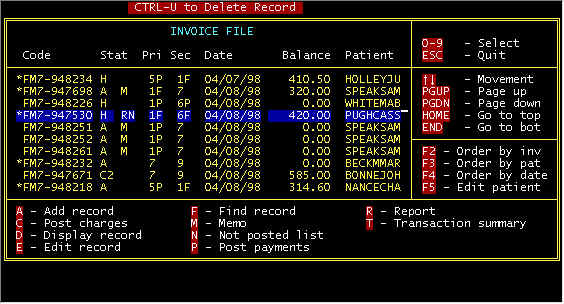
Screen 1-Main Invoice n asterisk (*) to the left of an invoice number (see column 1 above) denotes that a memo has been added to the invoice. Memos are used for internal usage by billing persons to clarify irregularities. To either add a new memo or to display an existing memo, select the M-Memo option by highlighting the invoice with the arrow keys and pressing the M key. A typical memo is displayed below.� 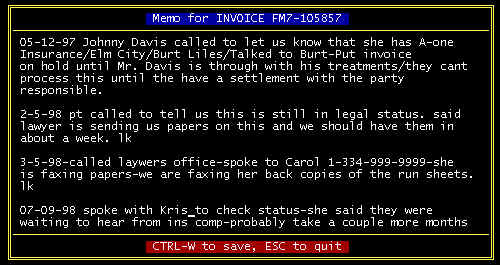 Screen 2 - Memo Screen You can format your comments per personal preference. We like to put the date first, etc. as shown. Data entry is standard word processor compatible. Holding down the Ctrl (control) key and tapping the W key saves any changes made, and pressing the ESC(ape) key aborts and changes and leaves it the way it was upon entry. |
Content adapted from the CES EMS Fast Cash Billing Manual on ces-web.com. For support call (706) 882-4704 or email mail@ces-web.com.