Change Date
Change
Date
Menu Path: MAINT/Change Date
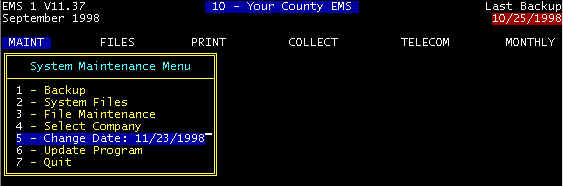
Per Screen 1, the default date is taken from your computer system date (clock). You can overwrite this date for the current session in the billing program, but this does not affect the system clock, and next time the program is started, the default date will again be the system date.
shown below will be the default date for posting payments, posting charges, date of (invoice) service, and dates on reports. If on Monday, you are entering a significant number of invoices for Friday dates of service, you may want to change the date for Fridays date of service so that you will not have to type over the incorrectly defaulted data of service when entering invoices.
Screen 1 |
Content adapted from the CES EMS Fast Cash Billing Manual on ces-web.com. For support call (706) 882-4704 or email mail@ces-web.com.