Paycode 7 Database
When a paycode 7 (private pay) has been entered as one of the paycodes in the invoice data entry screen, and subsequently the patient called in requesting monthly payments, a paycode record is generated per the following screens and discussions. Additionally, these paycode 7 records can be edited either via the same invoice data entry screen, or from the main menu as shown below, although editing from the main menu is rarely if ever done--these files are transparent to the billing person, and contain data required to file claims.
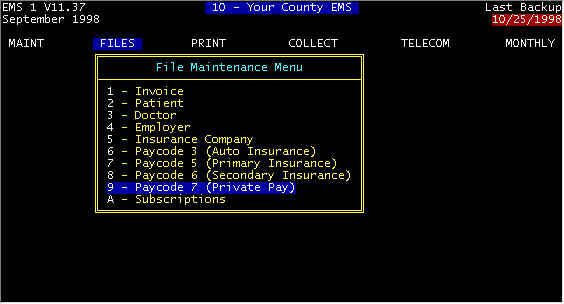
Screen 1 Main Menu-FILES
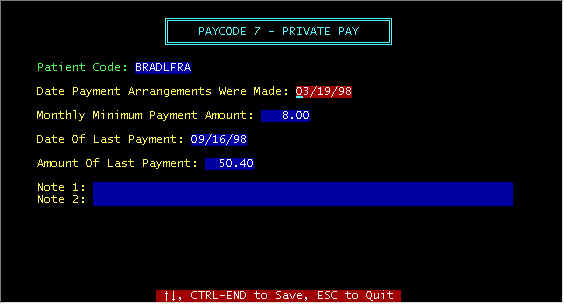
Screen 2 - Paycode 7
This information initiated in the invoice data
entry screen, You can either edit/display the data via the main invoice,
but most often screen 2 is edited/displayed from the invoice data entry screen via
highlighting the 7 in the paycode window and . Initially when entering an invoice,
if one of the paycodes is 7 (private pay) the expected payment is one payment for the full
amount. If the patient requests monthly payments, to the 7 in the paycode window and
holding down the Ctrl key, tap the PageDown key. A blank screen 2 above will
be displayed for establishing payment terms. For the screen 2 above, the patient
called in on 03/19/98 and requested $8 per month payments (minimum). The last
payment was on 09/16/98 for $50.40. Also, when an account is on monthly pay, the
statements messages are different per the message file.